



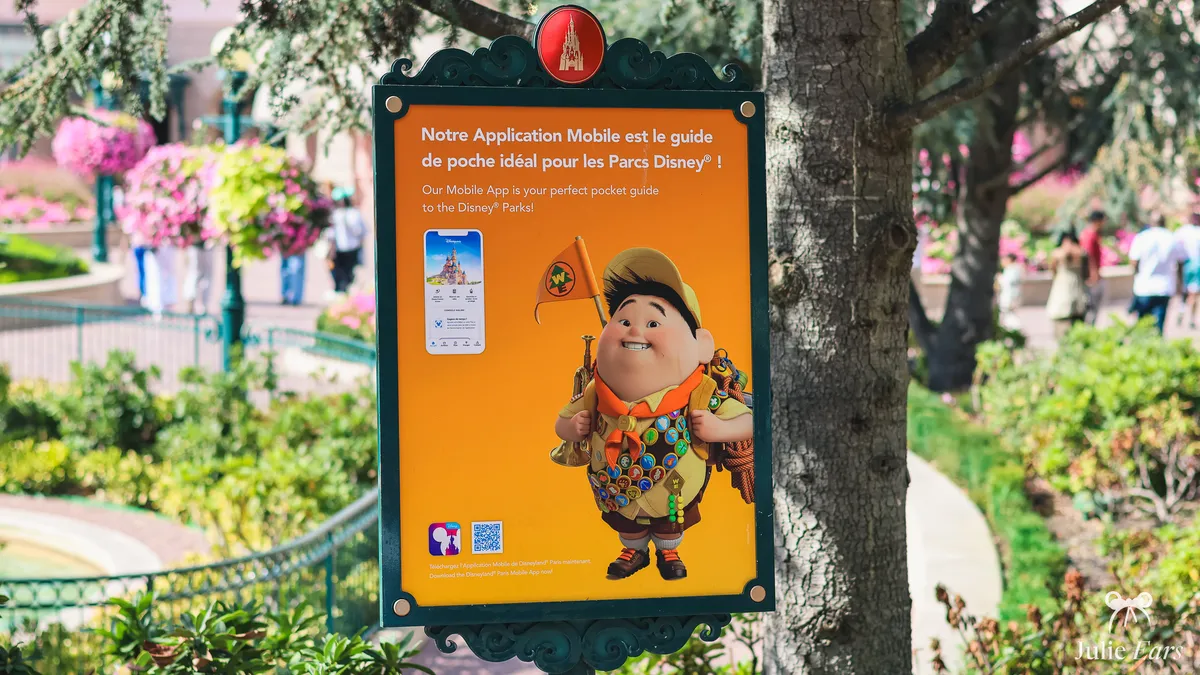
The Disneyland Paris app is the tool I keep open all day in the park. It’s free, official and available on iPhone (App Store) and Android (Google Play). It’s what shows live queue times, the map and show times, and it’s how you buy Premier Access or book a table.
One important point before you start: don’t confuse it with Lineberty. Lineberty is an independent virtual queue service, used for some shops or one-off events. It isn’t the park’s official app.
How to download and install the app
The app is simply called Disneyland Paris. Search for that name on the App Store (iPhone) or Google Play (Android), then install it. It’s free.
My tip: install it a few days before your trip, not on the morning you arrive. You’ll have time to create your account calmly and link your tickets. Doing it on the day itself, at the entrance, is never a good idea.
Creating and signing in to your Disney account
To make the most of the app, you need a Disney account. It’s a single account, the same for the website, the app and Disney’s other services. You create it directly in the app, in the Profile section, or on the official website.
This account brings everything together: your tickets, your Disneyland Pass (the annual pass, if you have one), your bookings and your PhotoPass photos. Once you’re signed in, you link your tickets and add the members of your group (up to 6 people). Do it in advance: that’s what lets you book for everyone in one go.
What is the app for?
The app is useful before and during your visit. Before your trip, you can buy and store your tickets and your Disneyland Pass, manage your hotel booking and plan your day. In the park, it’s your real-time navigation tool. In short, here’s what it lets you do:
- Check live queue times for the rides.
- Buy Premier Access to use a dedicated queue.
- Book a restaurant table and order food to take away at some places to eat.
- Follow your position on the park map.
- See the day’s show and parade times, with reminders.
- Find your PhotoPass photos linked to your account.
- Book a time slot to meet certain characters.
Each feature is explained in detail below.
Live queue times
The app shows the queue time for every ride, updated very regularly (roughly every 5 minutes). Allow a margin of 5 to 10 minutes compared with the figure shown. It’s the most useful information of the day: it tells you where to go when, and how to avoid the peaks.
Premier Access
Premier Access is the paid service that lets you use a dedicated queue on certain rides. You buy it on the day, in the app (you choose the ride and a time slot, then pay directly) or in person at City Hall (Disneyland Park) and Studio Services (Disney Adventure World). It replaced the free FastPass in 2021.
I don’t go into prices here, as they change with the rides and the time of year. Everything is explained in the dedicated article: Disneyland Paris Premier Access.
Affiliate link · official Disney prices
Restaurant bookings
You can book a table at most table-service restaurants directly in the app. Bookings open up to 2 months in advance for everyone, and as soon as their stay is confirmed for guests at Disney hotels (often several months ahead).
So Disney hotel guests have the edge on the most popular tables. You can also check menus and prices there before you book.
At a growing number of quick-service restaurants, you can also order and pay for your meal in the app, then pick it up at a time slot of your choice, at no extra cost. This is Mobile Order, sometimes called Click & Collect. The list of restaurants taking part changes, so check what’s available in the app on the day.
The interactive map
The map uses your location: it shows where you are in the park in real time. You can filter what’s displayed (rides, restaurants, shops, toilets). For a first-time visitor, the Map view is the easiest to follow. Once you know the park better, the List view is quicker for sorting and finding a ride.
Show and parade times
The app shows the day’s times for shows and parades, matched to your visit date. You can turn on reminders so you don’t miss a performance. It’s really handy for fitting in the night-time show without having to keep an eye on the clock all the time.
PhotoPass
You use the app to view your photos. Pictures taken by Disney photographers, and some ride photos, are linked to your account and appear in the app once scanned or linked. For packages, how to get your photos and how long they’re kept, it’s all explained here: PhotoPass and PhotoPass+.
The virtual queue for meet and greets
To meet certain characters, you no longer queue in person: you book a time slot in the app. This queue only opens once your ticket has been scanned at the park entrance, and you can only hold one booking at a time. How it all works (which characters, how to book one slot after another) is explained here: the virtual queue for meet and greets.
What should you do if the app isn’t working?
The app sometimes lags, logs you out or stops showing queue times, especially when crowds are high. A few simple steps fix most problems:
- Check that the app is up to date in the App Store or Google Play.
- Close and reopen the app, or restart your phone.
- Switch from the Disneyland wifi to 4G/5G, or the other way round, depending on which works best.
- Sign back in to your Disney account if you’ve been logged out.
My tips
- Connect to the Disneyland wifi: when crowds are high, it’s often more reliable than 4G or 5G, which quickly get overloaded in the park.
- Bring a power bank. The app uses a lot of battery, especially with location turned on, and it’s also your entry ticket and your way to pay.
- Turn on notifications. They’re what remind you of your Premier Access time slots, your booked meet and greets and show times.
- Map view if you’re new to the park, List view once you know it well.
The app is one of the services to set up before your trip. For an overview of everything waiting for you in the park, have a look at the guide to Disneyland Paris practical services.
Frequently asked questions
01 Is the Disneyland Paris app free?
Yes. The official Disneyland Paris app is free, on iPhone (App Store) and Android (Google Play) alike. You pay nothing to download it or to check queue times, the map or opening hours. Only Premier Access and PhotoPass are paid services.
02 Do you need an account to use the app?
Yes, for most of the useful features. A free Disney account brings together your tickets, your Disneyland Pass, your bookings and your photos. You can create it from the app. Without being logged in, some features such as the virtual queue for character meets don’t work.
03 When should you install the app?
A few days before your trip. That gives you time to create your account, link your tickets and add the members of your group (up to 6 people) without any rush. Arrival day, in front of the entrance, is never the right moment.
04 How do you buy Premier Access One?
You buy Premier Access One on the day of your visit, in two ways: in the Disneyland Paris app (you sign in to your Disney account, open the Premier Access section to choose the ride and the time slot, then pay), or directly at City Hall in Disneyland Park and at Studio Services in Disney Adventure World if you don’t have a smartphone. Premier Access Ultimate, on the other hand, can be bought before your visit, including through the concierge desk of your Disney hotel. I recommend downloading and testing the app before you come, because you need to be comfortable with your Disney account on the day. All the details are in my Premier Access guide.
05 How far in advance can you book a restaurant at Disneyland Paris?
It depends on how you’re visiting. If you’re staying in a Disney hotel, you can book up to 1 year ahead, as soon as your stay is confirmed: a real advantage for the most popular restaurants like the Auberge de Cendrillon or the character buffets. If you’re coming for the day, without a Disney hotel, you can book up to 2 months (60 days) ahead. You can book in the Disneyland Paris app, on the official website or by phone on +33 (0)1 60 30 40 50. My advice: book as soon as the window opens for character restaurants and for evenings at weekends or during French school holidays, otherwise the slots disappear fast.
06 What should you do if the app isn’t working?
First check that it’s up to date in the App Store or Google Play. Then close and reopen the app, or restart your phone. If the screen is still stuck, switch between the Disneyland wifi and 4G/5G depending on which works best, and log back in to your Disney account if you’ve been logged out.
07 Should you download the Disneyland Paris app and what is it for?
Yes, install it before your visit. It’s free and shows live queue times, the map and the day’s opening hours, and it lets you buy Premier Access, book a restaurant and find your PhotoPass photos. Connect to the park’s free Wi-Fi when you arrive to avoid loading glitches.


