



To make it clear, here’s the difference in two sentences. PhotoPass means buying your photos and videos individually, from €15 per photo, with no bundle. PhotoPass+ is an unlimited bundle at €90 that lets you download every photo and video taken during your visit, without paying for each one.
Depending on your trip, one of the two will come out cheaper. I’ll help you choose, in plain terms.
PhotoPass or PhotoPass+: what’s the difference?
It all comes down to one word: bundle. Here’s a quick comparison:
| Feature | PhotoPass | PhotoPass+ |
|---|---|---|
| What you buy | Individual photos or videos | Unlimited photos AND videos |
| Bundle | No, you pay photo by photo | Yes, one price covers everything |
| Price | From €15 per photo | €90 (free with the Gold pass) |
| Best for | A short visit, just a few photos | Lots of photos, character meet and greets, several days |
PhotoPass vs PhotoPass+ at a glance
What is PhotoPass+?
Don’t mix it up with plain PhotoPass: with that one, you pay for each photo or each video separately, with no bundle. PhotoPass+, on the other hand, is the unlimited bundle described below.
PhotoPass+ gathers in one place every photo taken by the park photographers, plus every photo and video captured on rides with on-ride photos. You can then download, share, or print all of it.
You get a physical card (or a number if you added it to your reservation). Show it to the photographer, or at the counter as you exit rides with on-ride photos, and the pictures get linked to your account. Remember to include the videos: they’re part of the bundle, whereas when you buy individually you often end up with just the photos.
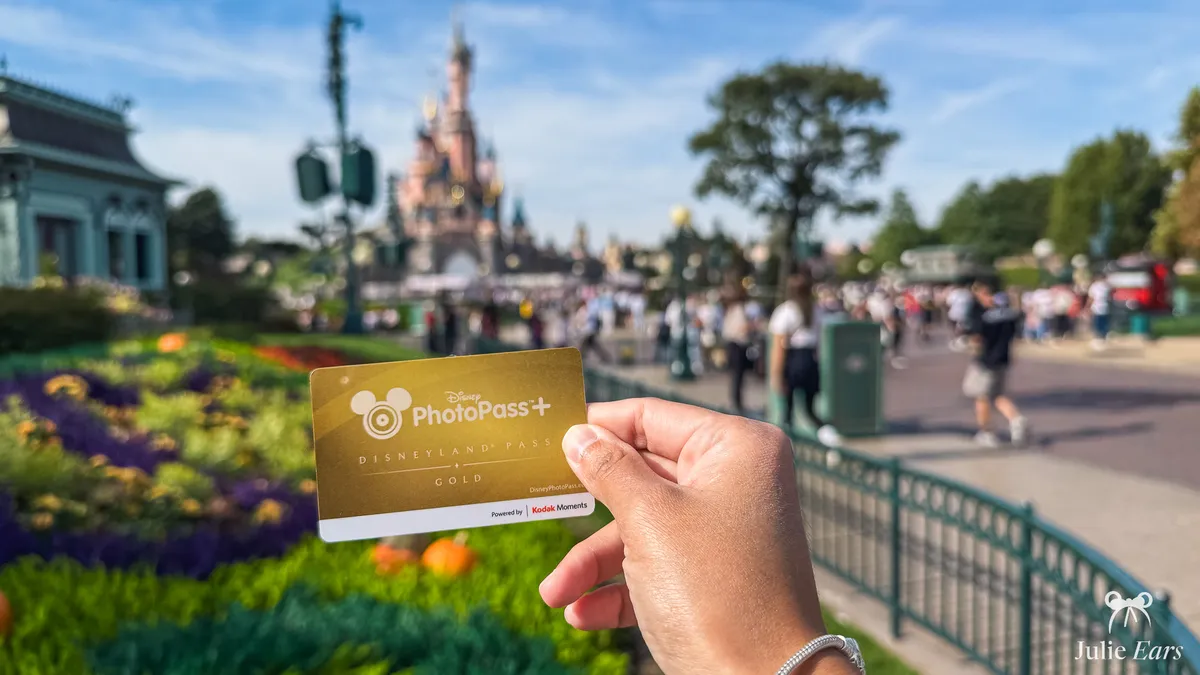
How to activate your PhotoPass+
Buy your PhotoPass+ at a dedicated store in the park, or add it to your vacation booking. In the park, you get a physical card. Online, you get a number.
Go to the official Disney PhotoPass website (disneyphotopass.eu). Your photos also show up in the Disney PhotoPass app, but the website is where you download them at the best quality (HD).
Create an account, or sign in if you already have one.
Enter the number under the barcode on your card, or the one sent with your booking, so it’s tied to your account.
All your pictures are there in HD for 1 year, ready for you to save and share.
How long is it valid?
Two time limits apply here, and they’re easy to mix up.
- Window for collecting photos
- 10 days starting with your first picture (1 year for Disneyland Pass members).
- How long they stay online
- 1 year in HD, plenty of time to download everything once you’re back home.
Where can you use PhotoPass+?
You can use your PhotoPass+ anywhere at Disneyland Paris. Whenever you run into a character, get a photo together. And several rides offer a photo or video you can add to your account.
| Location | Park |
|---|---|
| Avengers Assemble: Flight Force | Disney Adventure World |
| The Twilight Zone Tower of Terror | Disney Adventure World |
| Big Thunder Mountain | Disneyland Park |
| Buzz Lightyear Laser Blast | Disneyland Park |
| Pirates of the Caribbean | Disneyland Park |
| Star Wars Hyperspace Mountain | Disneyland Park |
| Meet Mickey Mouse (meet and greet) | Disneyland Park |
| Princess Pavilion (meet and greet) | Disneyland Park |
| Starport, Star Wars meet and greet (meet and greet) | Disneyland Park |
Disneyland Paris rides and meet and greets with photos in 2026
How much does PhotoPass+ cost?
| Option | Price |
|---|---|
| Standard PhotoPass+ (and Bronze pass) | €90 |
| PhotoPass+ with the Silver pass | -10% on the standard price |
| PhotoPass+ with the Gold pass | Included (free) |
| Single PhotoPass photo | From €15 |
PhotoPass+ price based on your profile
My tips
- You can buy PhotoPass+ later in the day. Hold on to every card the photographers hand you so you can attach the photos already taken.
- For ride photos, skip the QR code at the exit and head to the PhotoPass counter instead. The quality is better, and cropping is possible.
- Every time a photo is taken, have your card scanned or hand it over.
- Turn on your PhotoPass+ the very first day, and factor it into your budget while you’re still planning.
Affiliate link · Disney’s official prices
What about Magic Shots?
Magic Shots are photos with an added effect, where a character or an element shows up next to you. They come with PhotoPass+. I cover them in a separate article on Magic Shots that explains how to get them.
Dig deeper
For the rest of your visit, see the practical services at Disneyland Paris and how to plan your day.
Frequently asked questions
01 What’s the difference between PhotoPass and PhotoPass+?
With PhotoPass, you pay per photo or video, starting at €15 a picture, no bundle required. PhotoPass+ costs €90 as a bundle and lets you download every photo AND video from your visit, with no limit.
02 Is PhotoPass+ included with an annual pass?
It depends on which annual pass you have. With the Gold pass, PhotoPass+ is included for free, and that’s one of the big perks of that tier. With the Silver pass, you get -10% on the price. The Bronze passes come with no discount, so you pay the standard price of €90. Without the bundle, you can still buy your photos one at a time, starting at €15. If you take lots of pictures, that’s a solid reason to weigh the cost of upgrading to Gold.
03 How do I get my PhotoPass photos after my visit?
You can access your photos on the official Disney PhotoPass website (disneyphotopass.eu). You can also view them in the Disney PhotoPass app, but the website is still the best place to download them in HD. Log in to your Disney account, link your PhotoPass+ card number, and then open your gallery to download your pictures in HD. Remember to have all your photos scanned to the right account on the same day. How long it stays valid depends on your profile. With a regular ticket, PhotoPass+ lets you add photos for 10 days, and you then have 1 year of online access to download them. With an annual pass, the validity goes up to 1 year.
04 Can I buy PhotoPass+ after my photos have been taken?
Yes. As long as you kept the cards the photographers handed you during the day, you can buy PhotoPass+ later on and get the photos that were already taken.
05 Where can I buy PhotoPass+ at Disneyland Paris?
You can add PhotoPass+ to your booking on the official Disneyland Paris website, or buy it on site at the PhotoPass+ shops in both parks (New Century Notions on Main Street U.S.A., for example) and at some of the ride photo shops, such as the one at Big Thunder Mountain.
06 Is PhotoPass+ worth it?
The bundle pays off when you expect to take lots of pictures, meet characters, or spend several days on site. If it’s a short visit with only a few shots, paying per photo from €15 does the job.


